I'll usually need access to your project in order to carry out the service. Below are the specific instructions for granting access. Note that granting access to your project is entirely at your discretion and is not obligatory. However, opting out would inherently limit the amount of help you can receive.
For each service, the email to add is:
This above is the private email I use for my FlutterFlow, Supabase, Firebase, App Store and Play Store accounts. Please do not add any @kealy.studio email addresses as a collaborator. You are expressly prohibited from using the above email for any purpose other than adding collaborator access to your projects. For any other queries, please use [email protected].
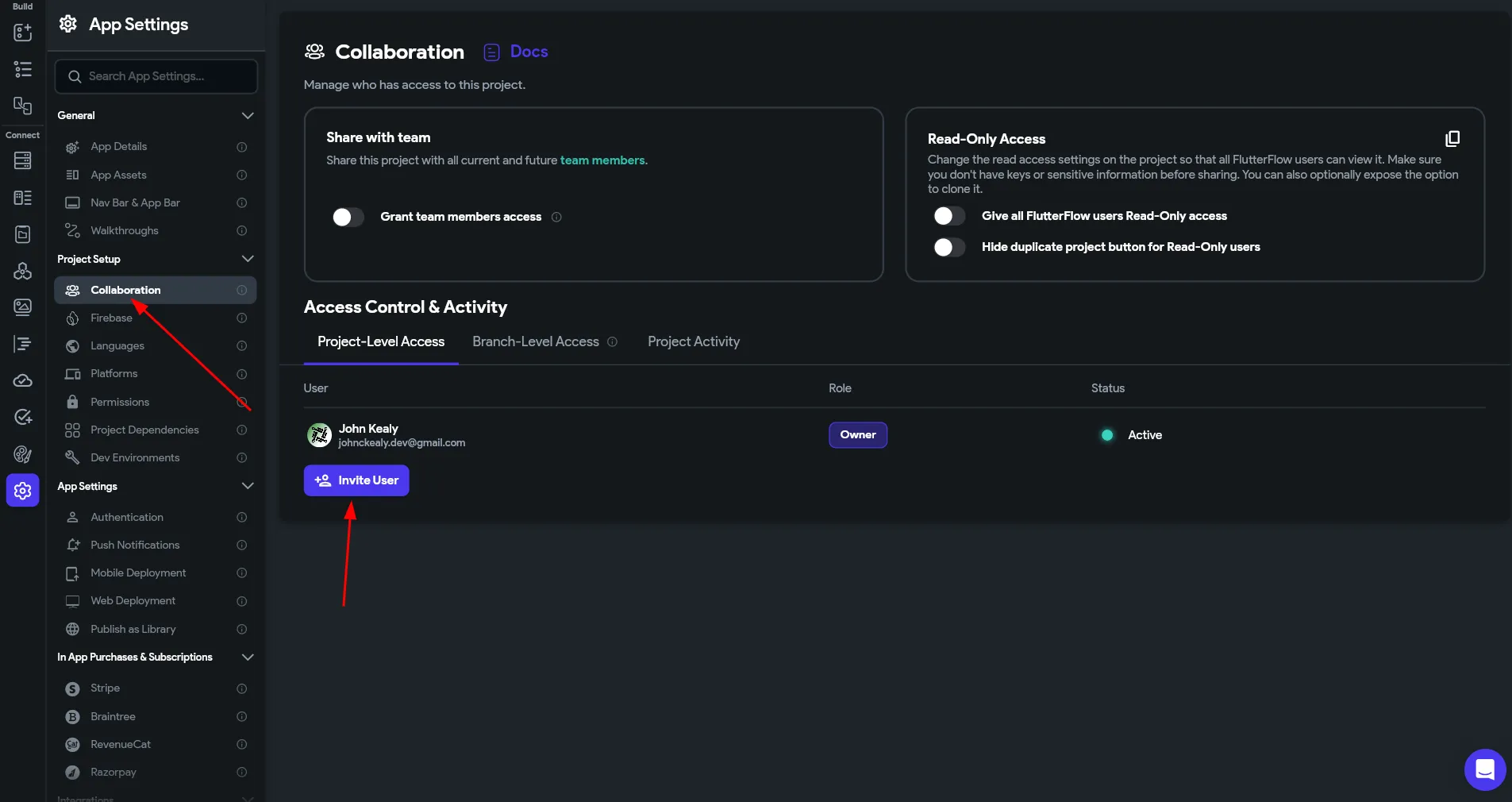
In your FlutterFlow project settings, click on "Collaboration", then
invite user. Note that a Team account is not necessary just to add an
editor. However, with this format it's not possible work on the project
at the same time. That's useful actually, since I would ask that you
don't work on the project until I've completed my tasks. The Role to add
is "Editor".
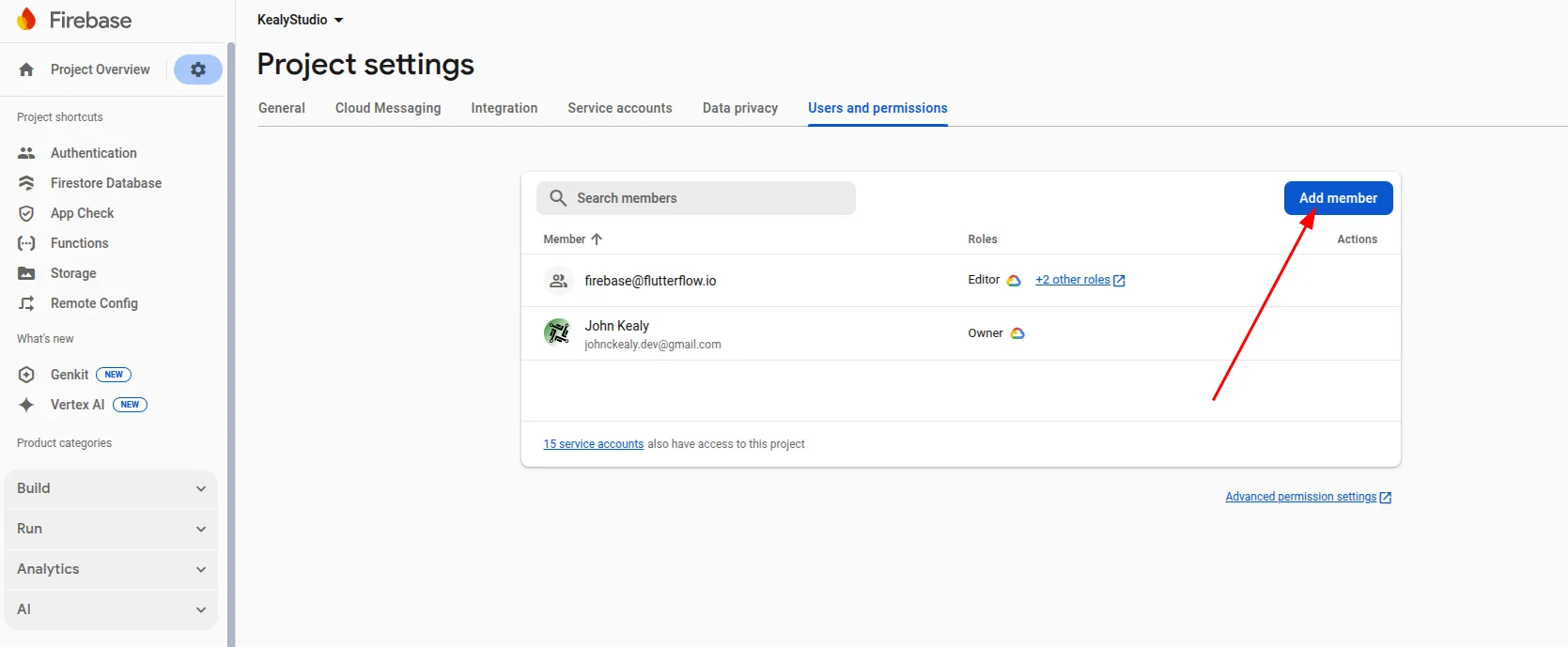
In your Firebase project settings, use the gear icon to navigate to
Project Settings > Users and permissions, then use the "Add member"
button to add a collaborator. The Role to add is "Editor".
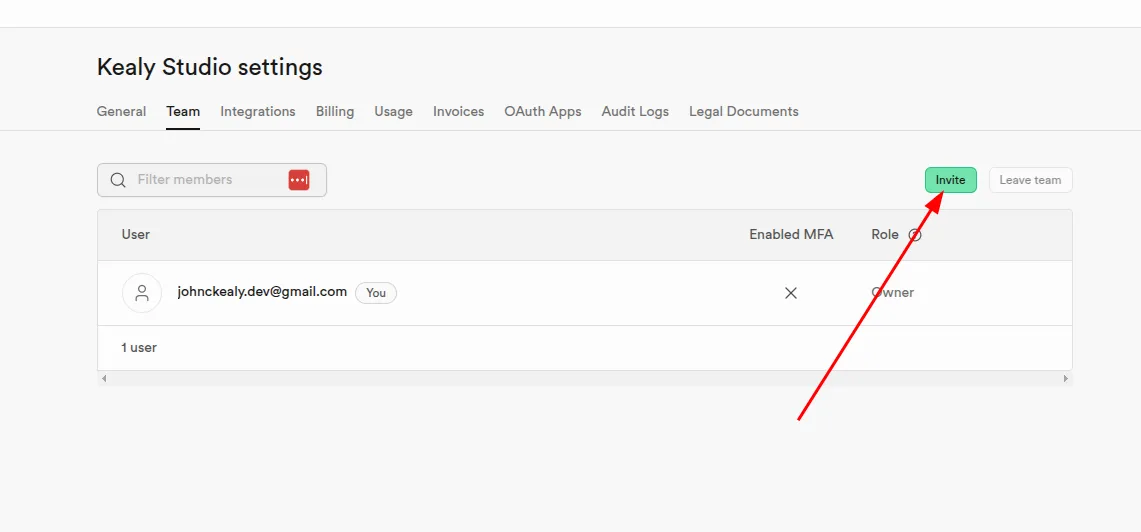
In Supabase, navigate to the Organization Settings (note that it's not
at the Project level). Under "Team", use the "Invite" button and add me
as an "Administrator". I prefer this role, as the "Developer" role is
more restrictive, however, if you don't feel comfortable granting me
that access level, then you may use the "Developer" role, which may be
sufficient depending on the task.
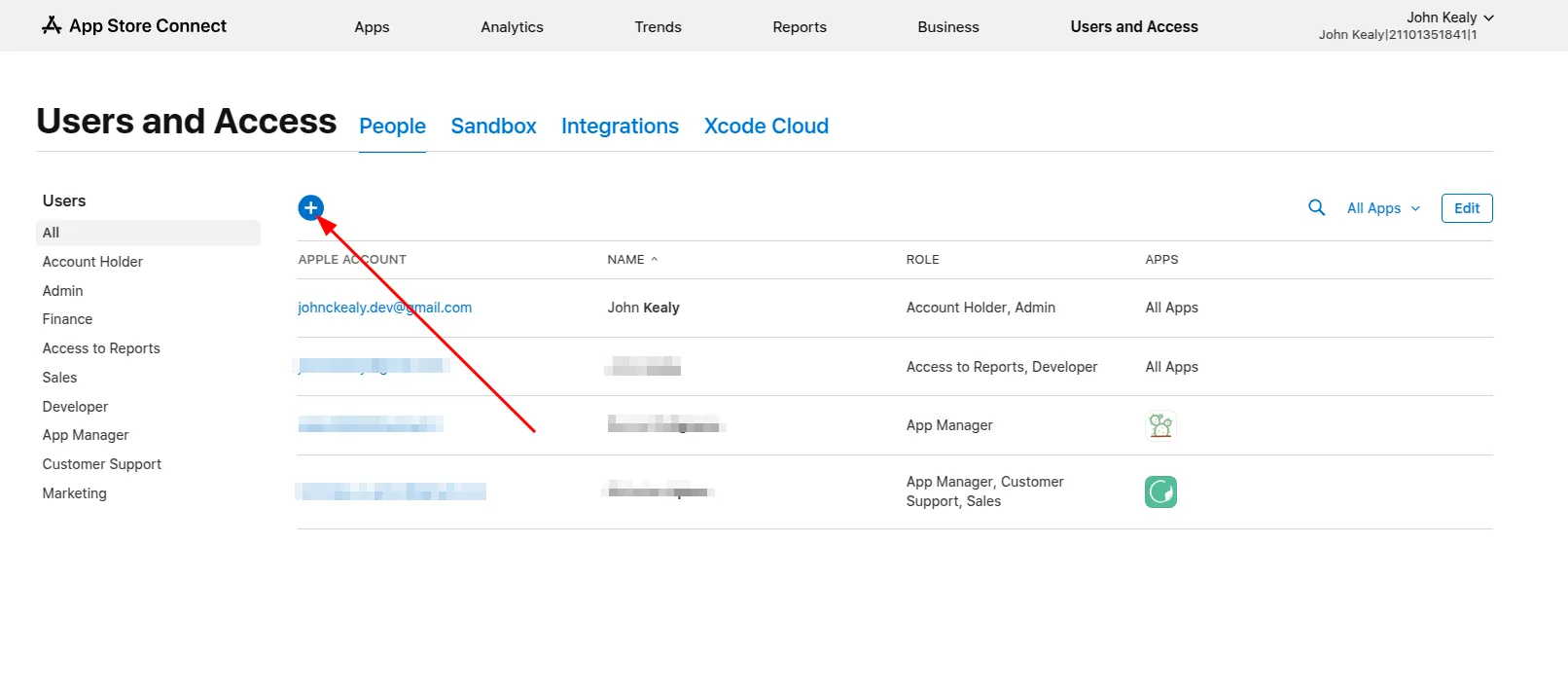
In App Store connect, navigate to "Users and Access". Use the plus icon
to add me as a collaborator. The "Developer" role is usually sufficient
in this case.